Journal every futures trade, automatically.
Tradkraft syncs your Tradovate account — fills, positions, commissions and fees — with read-only access. Works whether you trade on Tradovate directly or through the NinjaTrader platform — including prop-firm accounts. We never place, modify or cancel an order.

Connected in four steps. No CSV exports.
Add your account
In Tradkraft, open Accounts → Add account → Tradovate. If you trade through the NinjaTrader platform, this same Tradovate connection applies.
Authorize read-only
You log in on Tradovate's own page and approve Tradkraft. We receive read access only — no order permissions, and you can revoke it from Tradovate any time.
Your trades sync
Existing history imports on connect. After that, every fill, position and fee lands in your journal automatically — every session.
Review with AI
Tag setups and emotions, watch your Discipline Score, and ask the AI Mentor what your own fills say about you.
Everything the journal needs. Nothing it doesn’t.
Tradkraft reads your trade history and reconciles it into round-trips with the real fees attached — so the P&L in your journal matches your statement, not a guess from price math.
- Fills and executions, with timestamps
- Open and closed positions
- Commissions, exchange and clearing fees
- Realized P&L per round-trip
- Multiple sub-accounts under one login
- Prop-firm evaluation and funded accounts
NinjaTrader®
NinjaTrader® is our #1 recommended trading platform preferred by traders worldwide including our clients.
Download NinjaTrader & receive immediate FREE access to:
- Simulated trading with real-time futures data
- Advanced charting including ability to trade directly from your charts
- High performance backtesting engine to analyze your trading strategies on historical data
- Advanced Trade Management featuring automatically submitted stop orders, target orders, and trailing stops
NinjaTrader’s award-winning trading platform is consistently voted an industry leader by the trading community. Featuring 1000s of Apps & Add-Ons for unlimited customization, NinjaTrader is used by over 1.9 million traders for advanced market analysis, professional charting and fast order execution.
For new traders, start preparing for the live markets with a free trading simulator featuring real-time market data.
Join NinjaTrader — it’s free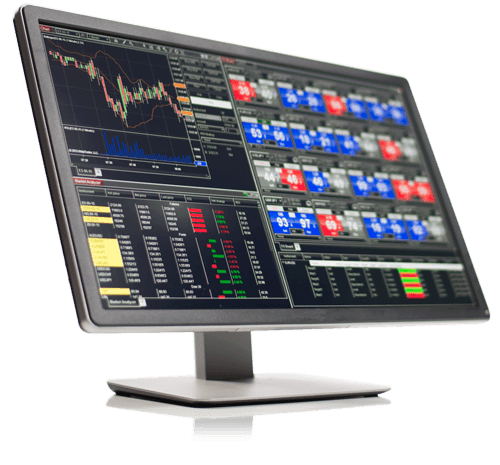

Kinetick® delivers reliable, fast and cost-effective market data to help level the playing field for active traders. Get started with FREE end-of-day historical market data directly through the NinjaTrader platform and learn how you can significantly reduce CME Group Globex exchange fees on real-time market data with Kinetick.
Get Started with Free EOD Data →NinjaTrader® is a registered trademark of NinjaTrader Group, LLC. No NinjaTrader company has any affiliation with the owner, developer, or provider of the products or services described herein, or any interest, ownership or otherwise, in any such product or service, or endorses, recommends or approves any such product or service.
Before you connect.
Yes. NinjaTrader is the trading platform; your brokerage account is with Tradovate. You authorize once with your Tradovate login and Tradkraft syncs the accounts under it.
Yes. Evaluation and funded accounts hosted on Tradovate connect the same way as a personal account, with the same read-only authorization.
No. Connecting Tradkraft does not require Tradovate's API Access add-on or a minimum account balance.
No. The authorization is read-only. Tradkraft has no ability to submit, modify or cancel an order — it only reads the trades you've already made.
Not part of the sync. Tradkraft never reads quotes or charts from your account — only your own trade history — so no market-data subscription is involved.